Last updated 30 September 2026
When Freshservice is connected, you can link a Leysa request to a ticket. When the request finishes, Leysa adds a private note to that ticket saying what happened.
You connect Freshservice in two steps. First you make an integration user for Leysa in Freshservice. Then you enter its details in Leysa.
An integration user is an account made only for Leysa. It does not use an agent licence.
Before you start
- Time needed: About 5 minutes
- Your role in Leysa: Owner or Admin
- Your role in Freshservice: Admin
- What you will copy from Freshservice: Your Freshservice address and an API key
Two things to know:
- Leysa's notes appear under the integration user's name. You choose that name in Step 1.
- Only one service desk can be connected at a time. If Jira Service Management or Halo is connected, disconnect it first.
Step 1: Make an integration user in Freshservice
- In Freshservice, open Admin, then Integration Users.
- Click Create integration user.
- Name it Leysa, then click Create.
- Under Permissions, click Edit, then Add role.
- Choose the role IT Agent.
- Choose across all groups in the service desk.
- Click Save. This button stays disabled until you have chosen both the role and the groups.
- Copy the integration user's API key.
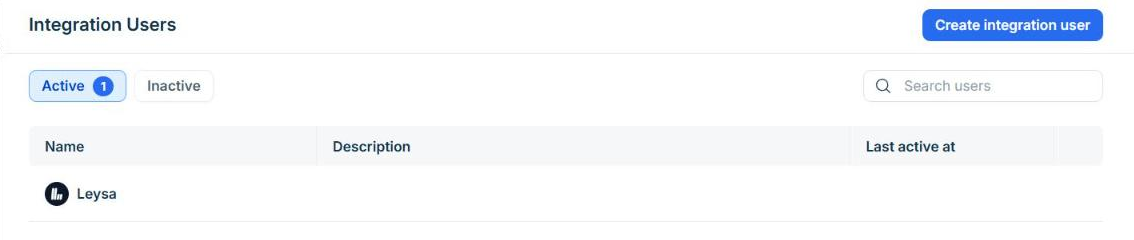
The Integration Users page in Freshservice, under Admin.
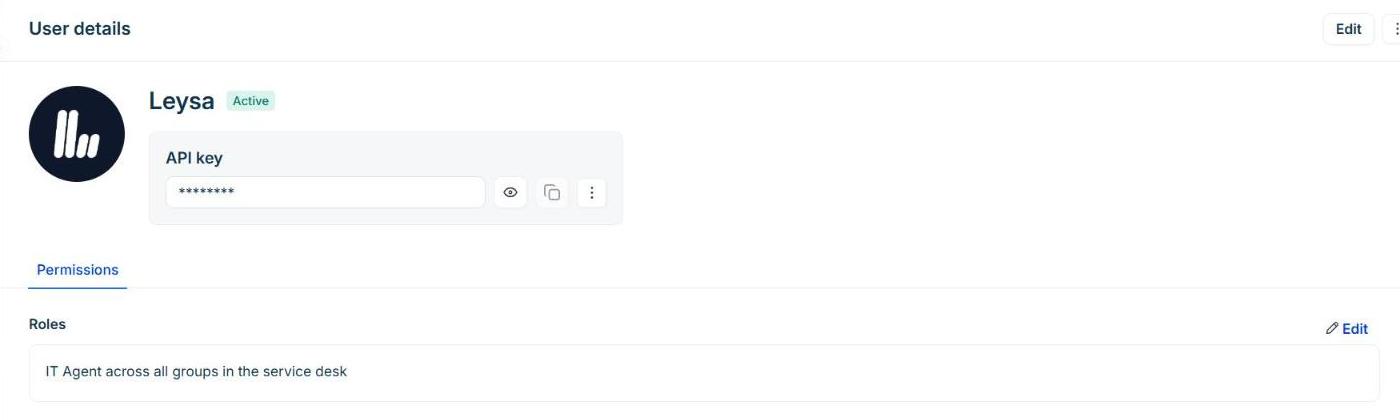
The finished integration user. Use the copy button beside the API key. The role reads "IT Agent across all groups in the service desk".
Do not skip the role. Without it, Freshservice does not let Leysa read tickets, and connecting fails.
Step 2: Enter the details in Leysa
- In Leysa, go to Integrations → Freshservice.
- Enter your Freshservice address. This is the address in your browser when you are signed in to Freshservice, for example
https://yourcompany.freshservice.com. - Paste the API key.
- Click Connect Freshservice.
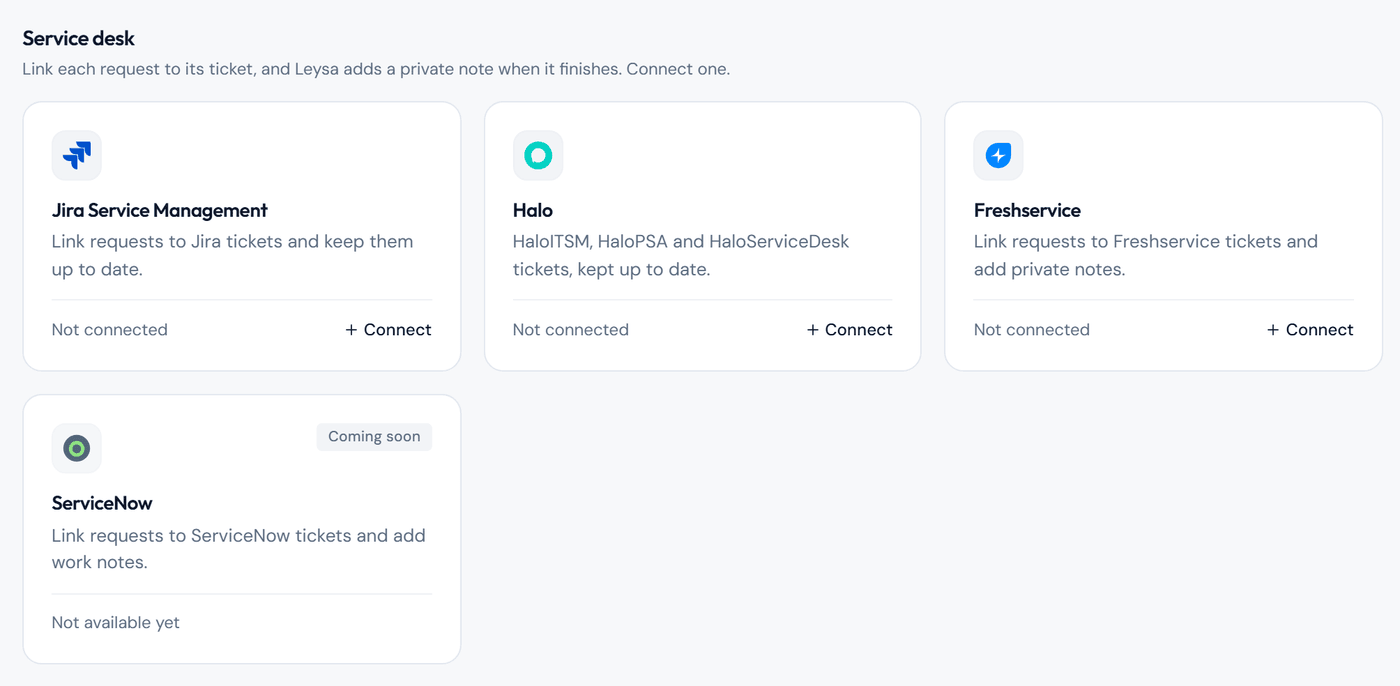
Freshservice is in the Service desk section of the Integrations page.
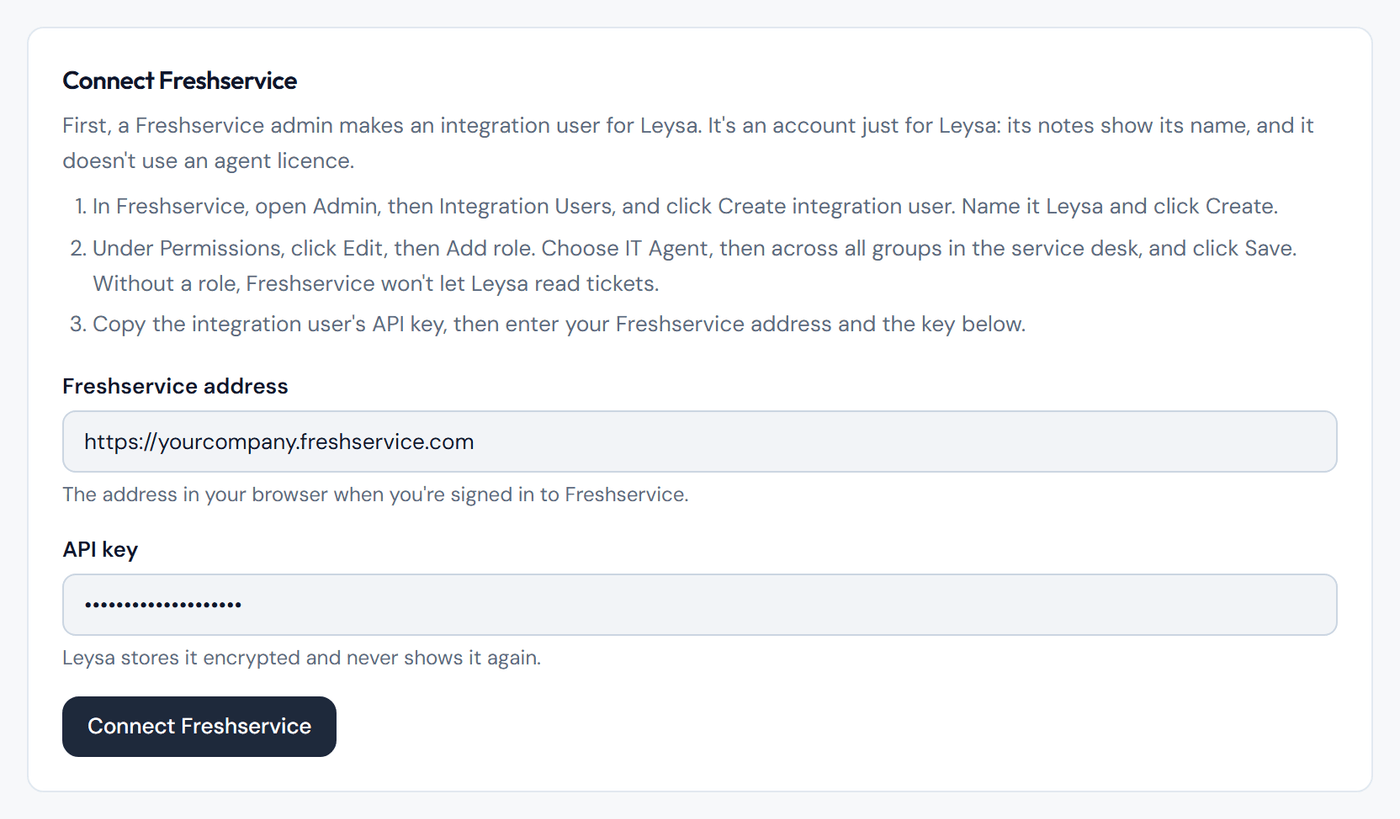
The two details to enter. The API key is hidden as you type.
Leysa checks the details with Freshservice before it saves them. If Freshservice accepts them, Freshservice shows as Connected.
Check it worked
- The Freshservice page in Leysa shows Connected, with your Freshservice address, who connected it and when.
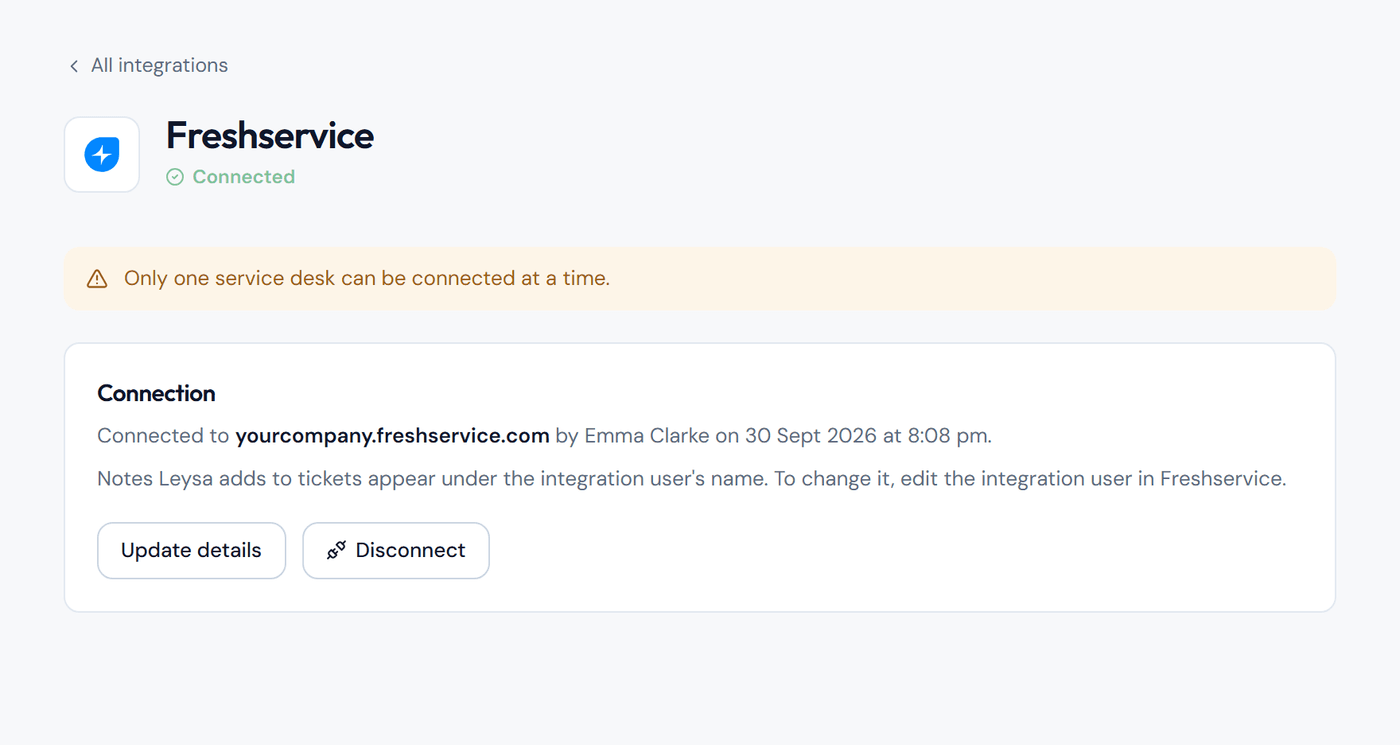
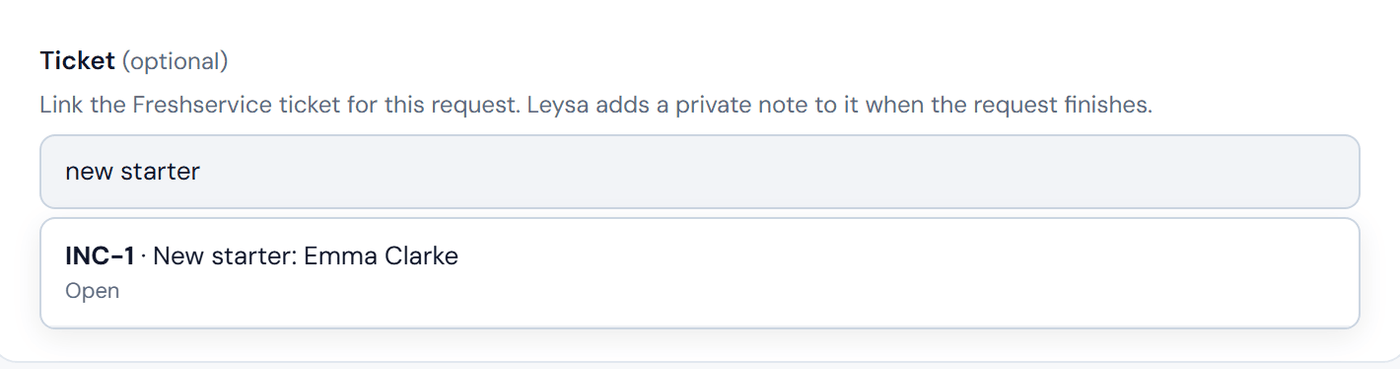
- Open any automation. A Ticket box now appears on the form. Type a ticket number such as
INC-12, or words from its title, and the ticket appears in the results.
What Leysa can do
Leysa can read tickets and add private notes to them. Nothing else.
- The requester never sees the notes.
- The notes never include passwords or password links.
- Leysa keeps only the ticket number, not the ticket's contents.
- The API key is stored encrypted.
If something goes wrong
If Freshservice does not accept the details, check these in order:
- Does the integration user have a role? It needs IT Agent across all groups. See Step 1.
- Is the address right? It must start with
https://and match the address in your browser when you are signed in to Freshservice. - Is it the right key? Use the API key shown on the Leysa integration user, not the key on your own profile.
Other problems:
- Your own profile says "Your API key is disabled". Freshservice turns off agents' personal API keys by default. You do not need one. Use an integration user, as in Step 1.
- A request in Activity says the ticket was not updated. The integration user was changed or deactivated in Freshservice. Check it, then click Update details on the Freshservice page in Leysa.
- The Connect button is missing. Another service desk is connected. Disconnect it first.
Change or remove the connection
- Change whose name the notes show: rename the integration user in Freshservice.
- Replace the API key: in Leysa, go to Integrations → Freshservice, click Update details, and paste the new key.
- Disconnect: on Integrations → Freshservice, click Disconnect. Leysa stops linking requests to tickets straight away.
- Remove Leysa from Freshservice as well: deactivate the integration user.
Related
Still need help? Tell us what you were trying to do and a member of our team will help.